Migrating from EnvKey
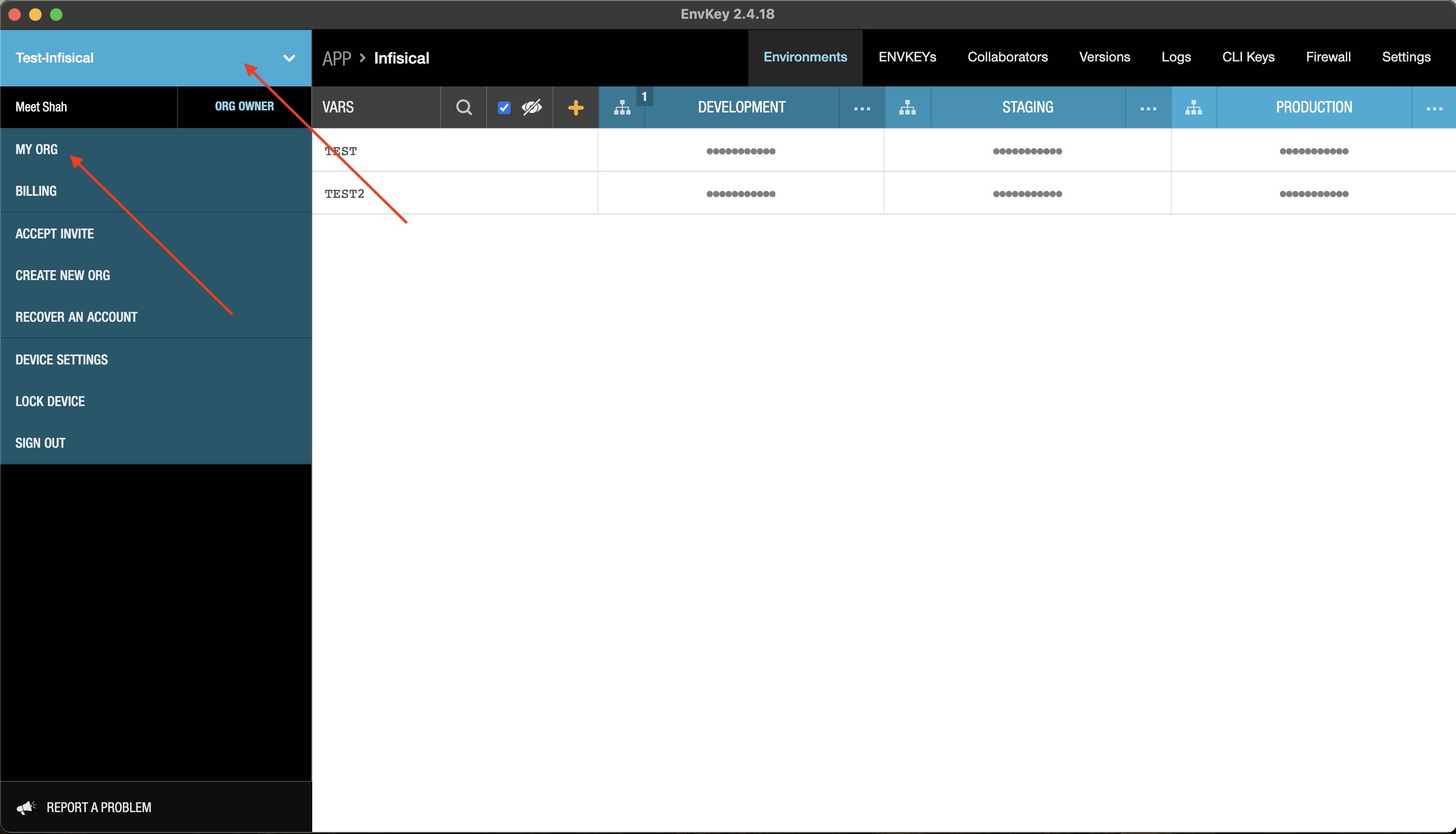
Open the EnvKey dashboard and go to My Org
Export your EnvKey organization
Go to Import/Export on the top right corner, Click on Export Org and save the exported file.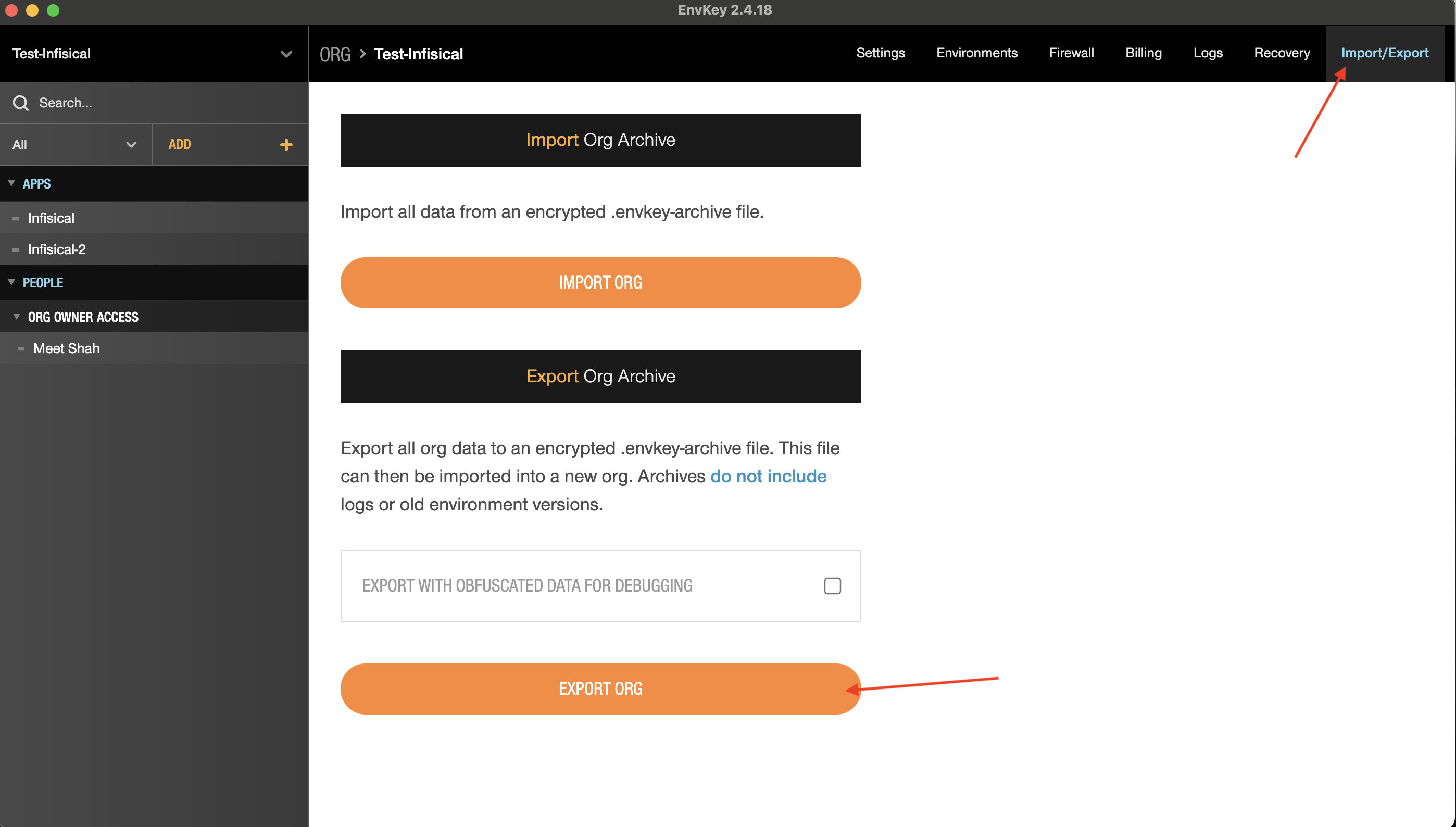
Obtain EnvKey encryption key
Click on copy to copy the encryption key and save it.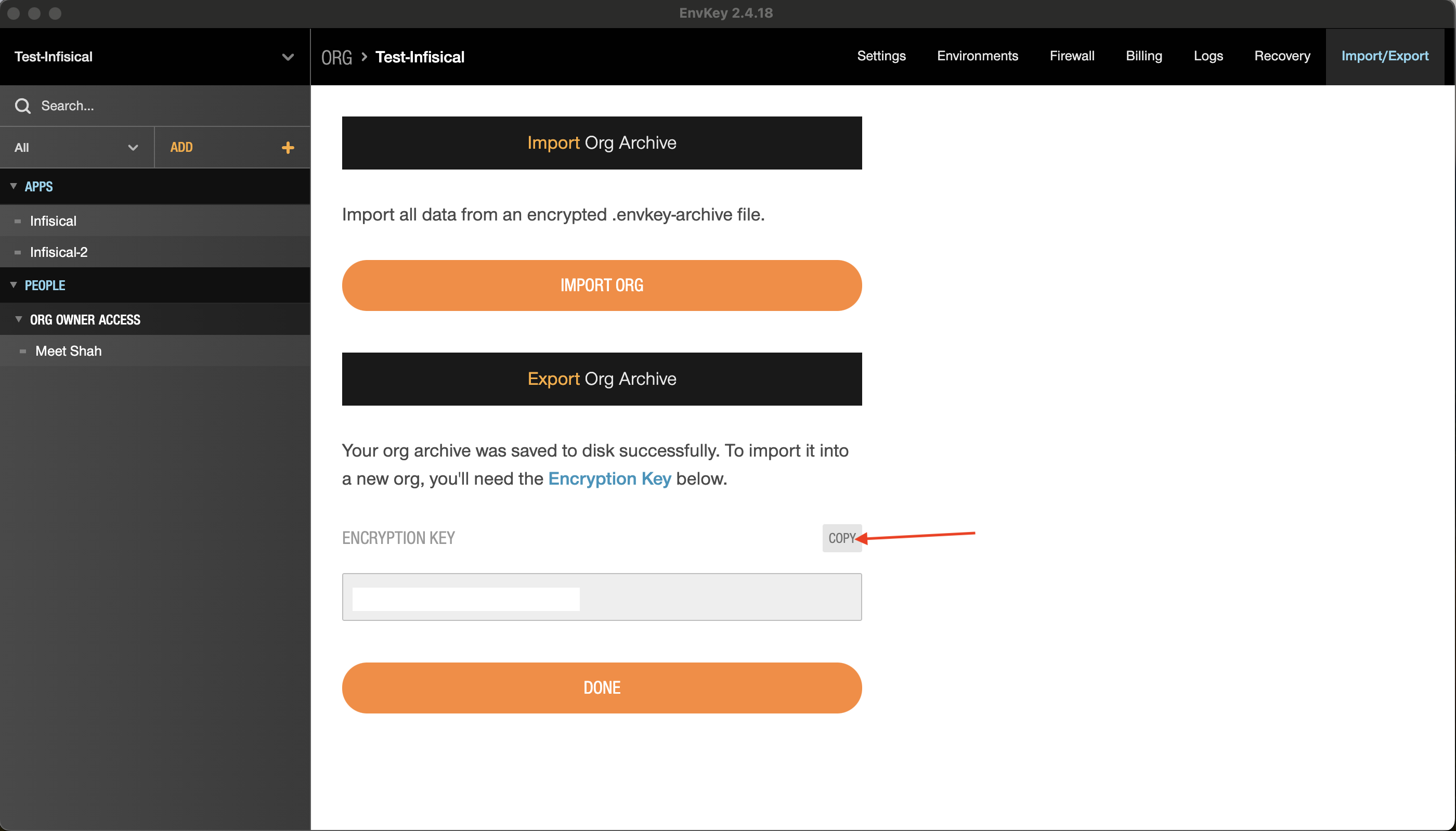
Navigate to Infisical external migrations
Open the Infisical dashboard and go to Organization Settings > External Migrations.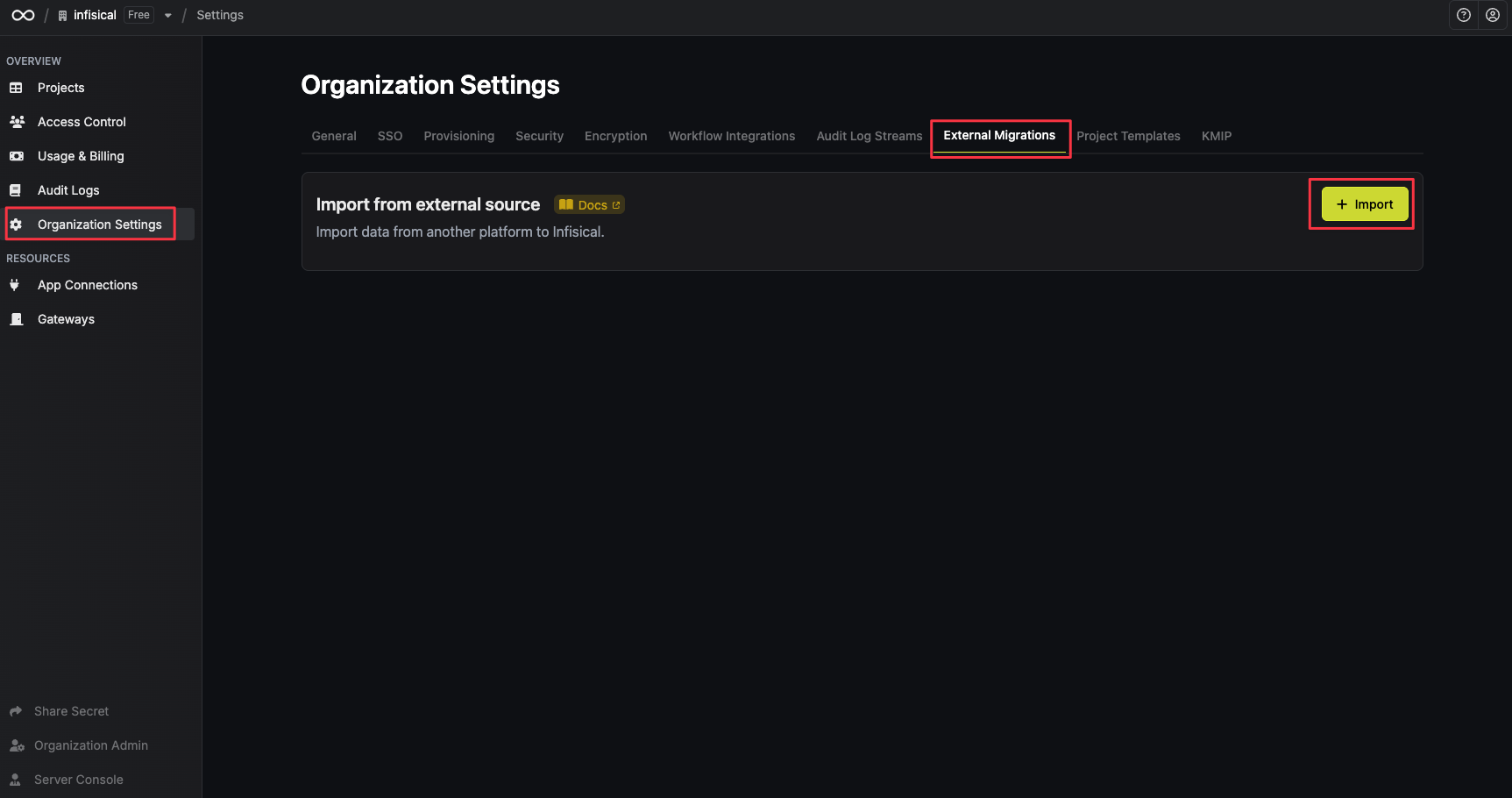
Select the EnvKey platform
Select the EnvKey platform and click on Next.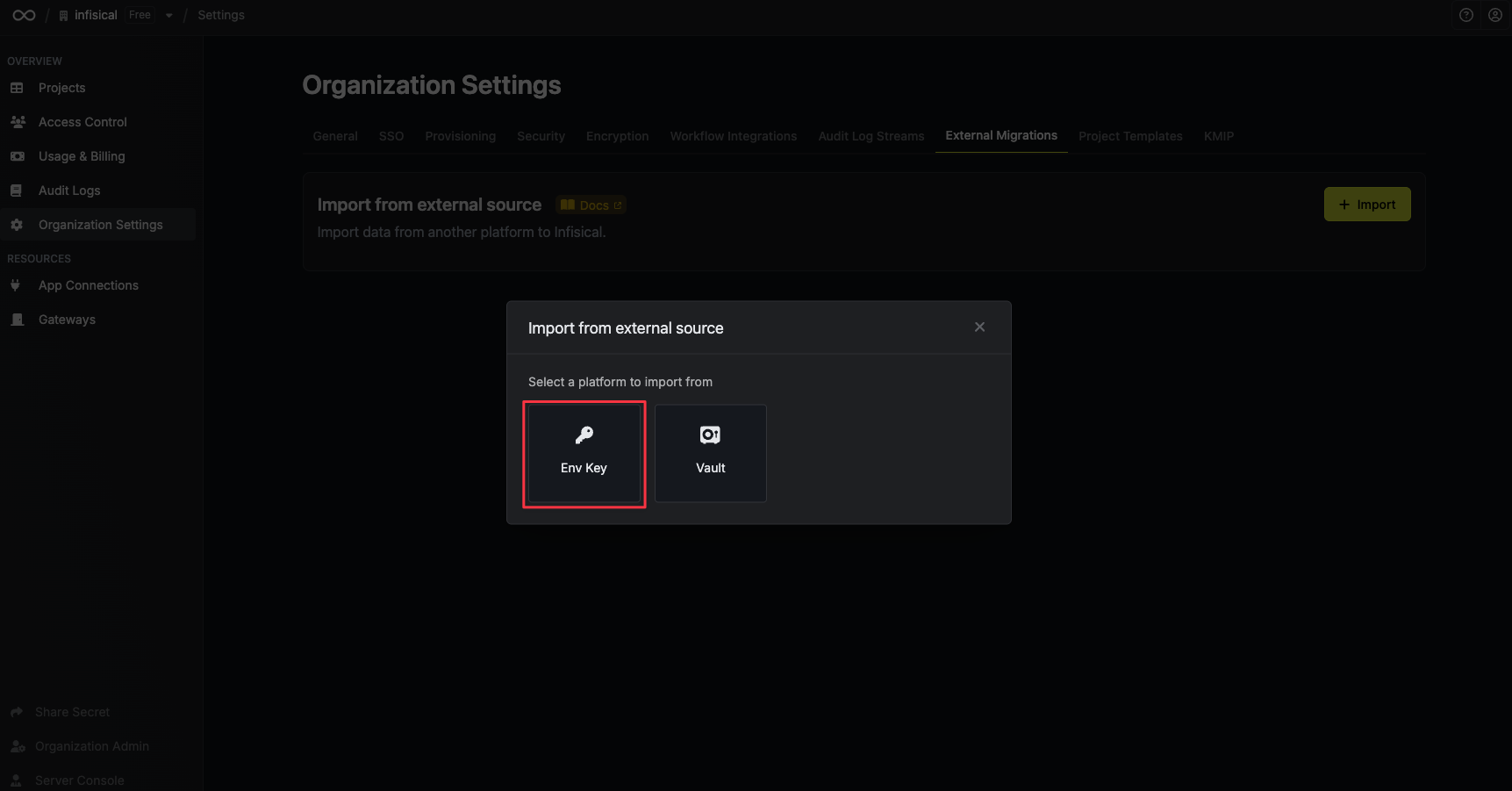
Upload the exported file from EnvKey
Upload the exported file from EnvKey, paste the encryption key and click Import data.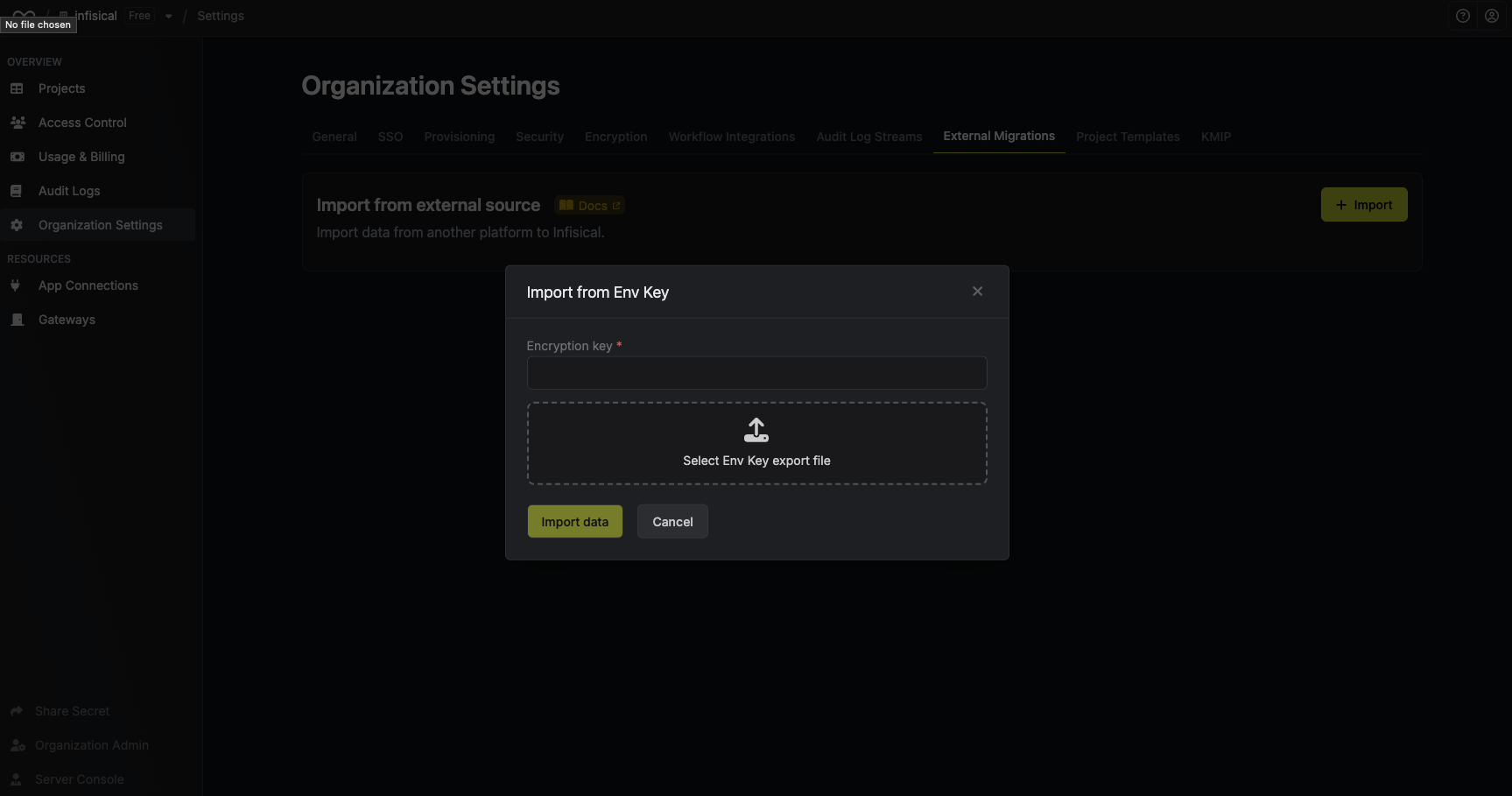
It may take several minutes to complete the migration. You will receive an email when the migration is complete, or if there were any errors during the migration process.
Talk to our team
To make the migration process even more seamless, you can schedule a meeting with our team to learn more about how Infisical compares to EnvKey and discuss unique needs of your organization. You are also welcome to email us at support@infisical.com to ask any questions or get any technical help.